Song requests for your Twitch chat
Your Twitch chat requests a song and it plays on your own
Spotify, Apple Music or YouTube Music. A viewer types !sr with a song
name, or pastes a link from any music app, and PlayOver finds that exact track and queues
it.
Free, no paid tier. Windows PC.
Chat commands or channel points
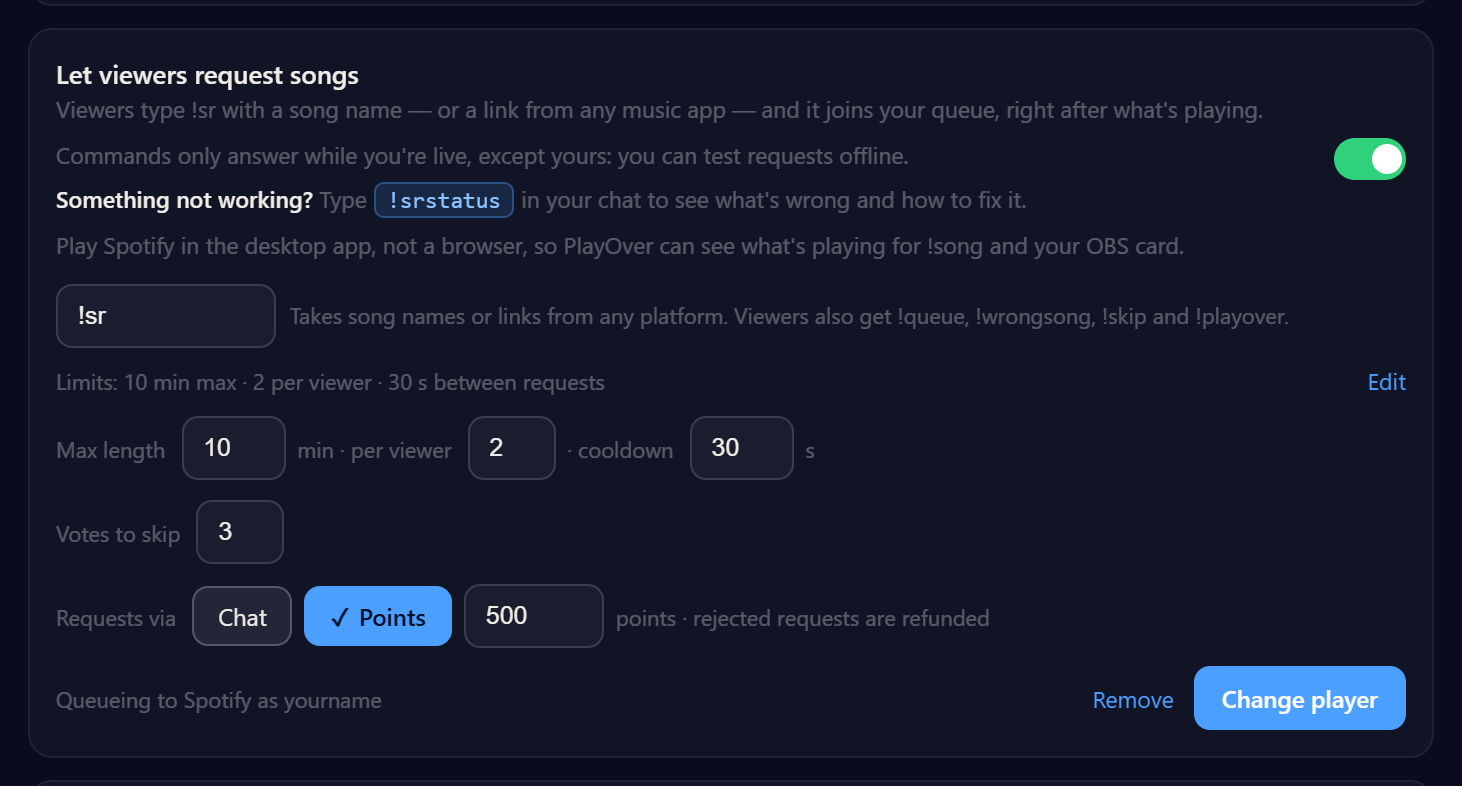
You choose. Requests can be open to chat, or cost channel points at a price
you set — PlayOver creates the reward for you, and a viewer who types !sr
instead is pointed at it.
Rejected requests are refunded. Not found, too long, a duplicate, or the queue was full — PlayOver hands the points back through Twitch's own channel-point refund. Since 2.0.16 they are only kept once the song has played, so a request removed or skipped before that is refunded too.
Channel points need Twitch Affiliate or Partner. That is
Twitch’s requirement, not ours, and it is what PlayOver tells you if your channel does
not have it. Chat requests need no status at all — if you are not an
Affiliate yet, use !sr and everything else on this page still works.
A now-playing overlay for OBS
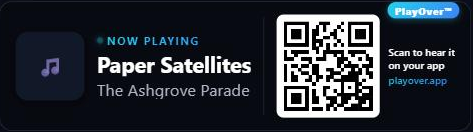
Add one browser source and your stream shows what is playing, with a QR code viewers can scan to open the song on their own service — Spotify, Apple Music, whatever they use. Ten styles; this is one of them.
It plays on your own music service
Spotify, Apple Music or YouTube Music. Setup for each is on its own page: Spotify, Apple Music and YouTube Music. Streaming on Kick too? That is the same app, same setup.
What your viewers type
The request command is !sr by default and you can change it.
Viewers also get !queue, !wrongsong, !skip and
!playover. If a song cannot be found, chat says so — and in
channel-point mode the points go back.
Commands answer only while you are live, except yours, so you can test
before a stream. !srstatus in your own chat tells you what is wrong if
something is not working.
The limits are yours
You set the maximum song length, how many songs one viewer can have waiting, the cooldown between their requests, and how many votes it takes to skip. The queue holds up to 50 songs. You and your mods can remove or skip anything in it; viewers can vote to skip. There is no blocklist, so moderation is removing and skipping rather than filtering in advance. More on how requests behave on stream.
Free, with no paid queue cap
Every feature is free — no subscription, no ads, no paid tier and no paid queue cap — including the now-playing OBS overlay, in ten styles, with a QR code viewers can scan to open the song on their own service.
Get PlayOver
Free, nothing for your viewers to install or sign up for, and it takes a few minutes to set up.