● Free · No account needed to join

One queue.
Everyone's platform.

The person with the speakers starts a party. Everyone else opens a link and adds songs from whatever music app they already use — Spotify, Apple Music, YouTube Music, Tidal, Deezer. PlayOver works out what the song actually is and the host's speakers play it. Nobody has to install anything, sign up, or care what anyone else subscribes to.

Start a party in your browser Needs an Apple Music subscription to be the player

Been handed a code?

Type it in, or just open the link the host gave you. There is nothing to install and no account to make.

Once you're in

Two ways to be at the party

You pick either, or both. The first needs nothing but the link. The second is for when you want the music in your own ears as well as in the room.

Everyone

Request songs

  • Search, or paste a link from any platform.
  • Your name shows on what you added, so the room knows who picked it.
  • See the queue as it changes, live.
  • Vote to skip, if the host turned that on.

Works in any phone browser. No app, no sign-in, no subscription.

Optional

Listen along, in sync

  • Hear the party through your own music account, on your own headphones.
  • Stays lined up with the room, and re-syncs itself when it drifts.
  • Step away and rejoin without stopping anything for anyone else.
  • Nudge your audio a little early or late for Bluetooth speaker delay.

Plays on your own subscription, so nobody is streaming anybody else's account.

Listening along

Which service, and where

Adding songs works from every platform, everywhere — that part never depends on what you use. Listening along is the part that does, because the music has to actually play on something you are subscribed to.

🌐
Apple Music — right in the browser tab Open the party link, choose Listen along, sign in to Apple. Nothing to install, on any computer or phone.
🎧
Spotify — through the PlayOver app Spotify has no way to play a full song inside someone else's web page, so listening along on Spotify runs through the app, which drives the Spotify you already have open. Adding songs from Spotify still needs nothing at all.
➕
Everything else — add away YouTube Music, Tidal, Deezer and the rest are fine for requesting songs. Listening along needs Apple Music or Spotify, because those are the two that let an app play a full track you are paying for.
Hosting

Being the one with the speakers

No install

Host in a browser tab

The tab becomes the player. Open it, sign in to Apple Music, pick a playlist to run in the background, and share the link. Requests cut in when someone adds one, and the playlist picks up again when the queue empties.

Open the browser host
Spotify or Apple Music

Host from the app

The PlayOver app turns the device with the speakers into the player. Guests still join with nothing but the link.

  • iPhone, iPad and Mac: Apple Music or Spotify.
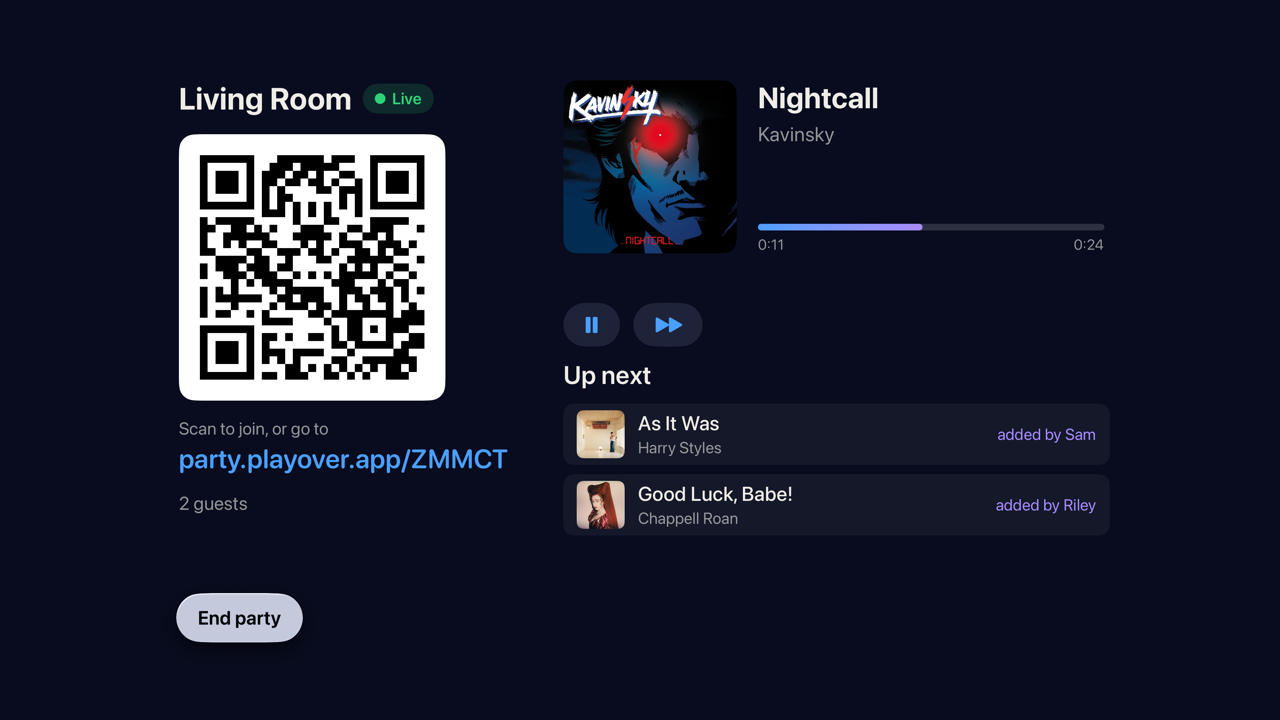
  • Apple TV: Apple Music, with the QR code and the queue on the big screen.
  • Android: Spotify.
  • Windows: Spotify, or Apple Music through the Cider player.

Hosting on Spotify needs Spotify Premium and a one-time setup of about three minutes that the app walks you through.

Get the app
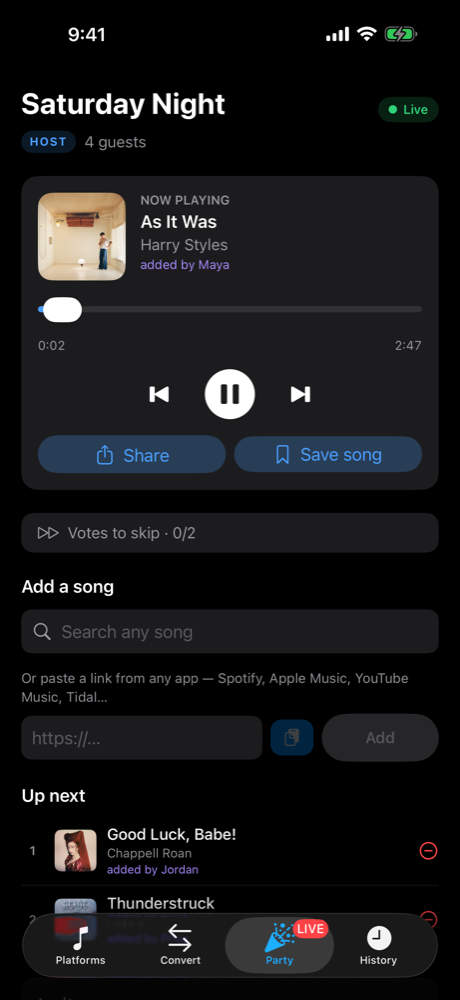
Hosting a party on iPhone: the now playing song, added by Maya, and the queue
iPhone
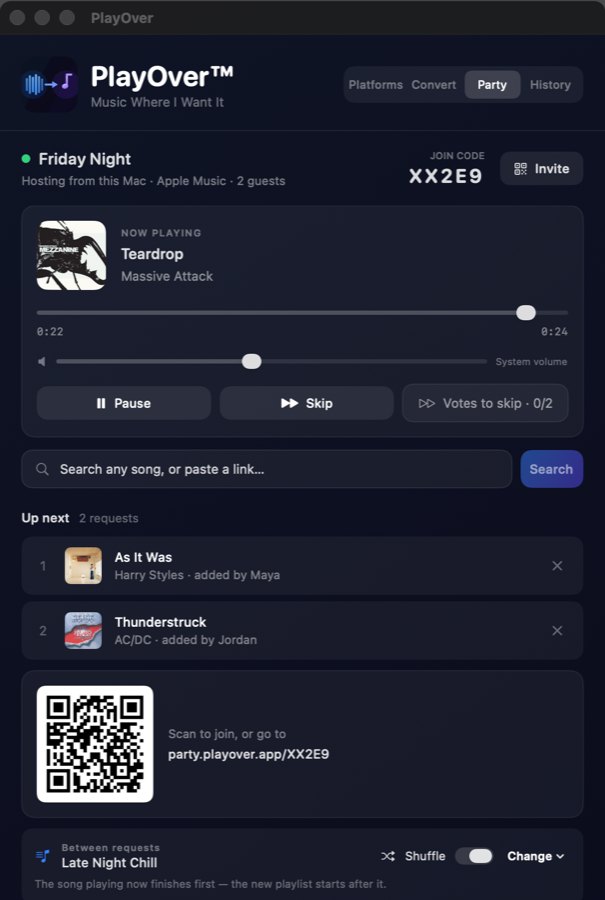
Hosting a party on Mac: the queue, join code and QR code
Mac
Hosting a party on Apple TV: QR code, party link and the queue on the big screen
Apple TV
Apps

Get PlayOver

Free on every platform. You never need it to join a party — it is for hosting from your own phone, computer or TV, listening along on Spotify, and everything else PlayOver does the rest of the time.

iPhone & iPad Mac Android Windows

Free forever. No account required to use the converter or to join a party.

Questions

The things people actually ask

Do my guests need PlayOver installed?

No. They open a link in whatever browser is on their phone and start adding songs. That is the whole point.

Does everyone need the same music service?

No. Someone can paste a Spotify link at a party running on Apple Music and it plays. Working out that two links are the same song is the thing PlayOver has always done.

Can people put on something awful?

The host sets house rules: how many requests each person gets, whether explicit tracks are allowed, and how many votes it takes to skip. Change them mid-party and everyone's screen updates.

Can I share the link with people who shouldn't be able to change the music?

Yes — there is a separate listen-only link. It lets people hear the party without adding to the queue, and it can't be turned back into a full invite.

What happens when it ends?

You get a recap of everything that played and who asked for it, kept at its own link.

Put the aux in everyone's hands.

Start one in a browser tab and send the link round the room.

Start a party