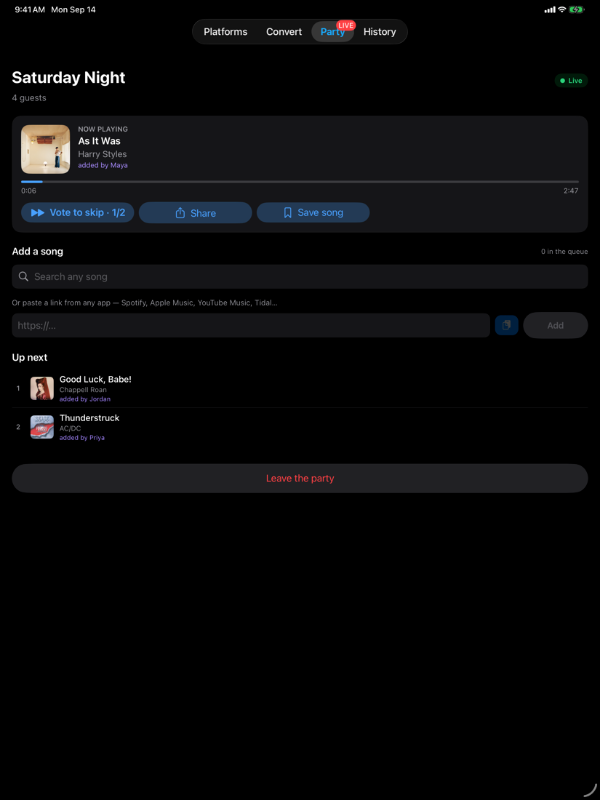
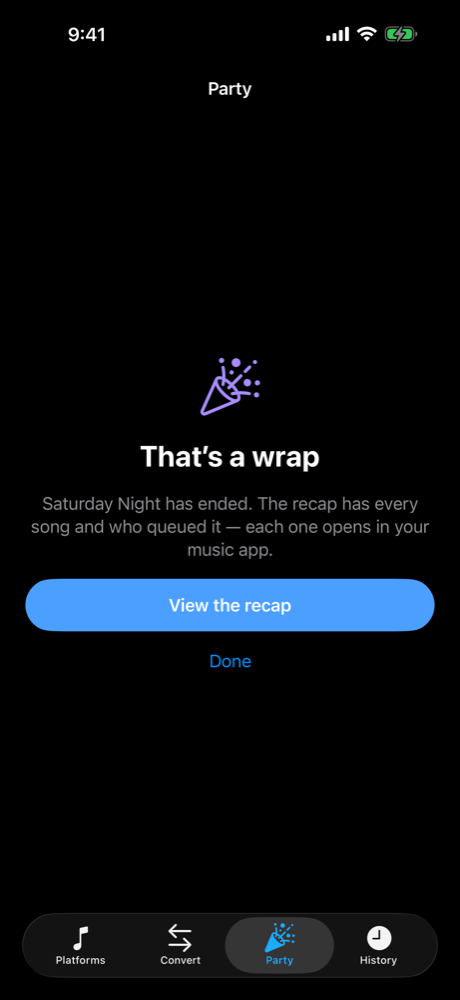
Share any song to any platform, right from the iOS Share Sheet. No more sending links that your friends can't open. And now it hosts parties: guests add songs from their own music app, and PlayOver plays them.
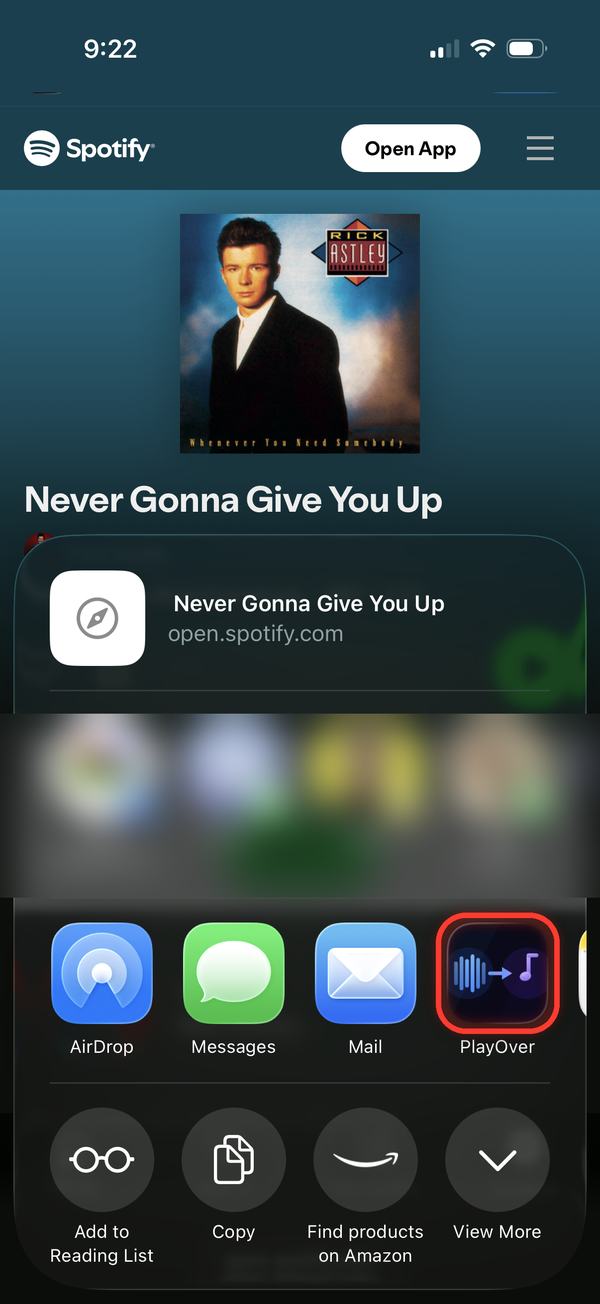
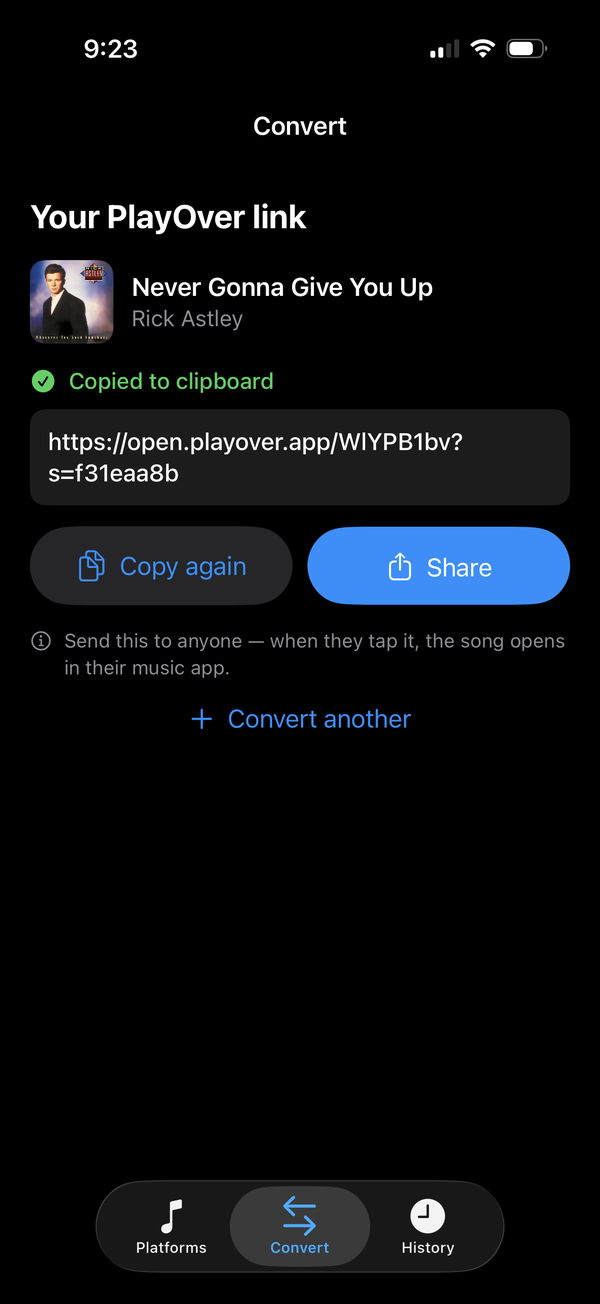
PlayOver lives in the iOS Share Sheet, so it's right there anywhere you can tap Share — Safari, Discord, your music apps, and beyond. Pick PlayOver and you get one link that opens on whatever platform each person uses. iMessage is the exception: a song arrives as a preview card with no Share button, so press and hold it, tap Copy, and open PlayOver instead.
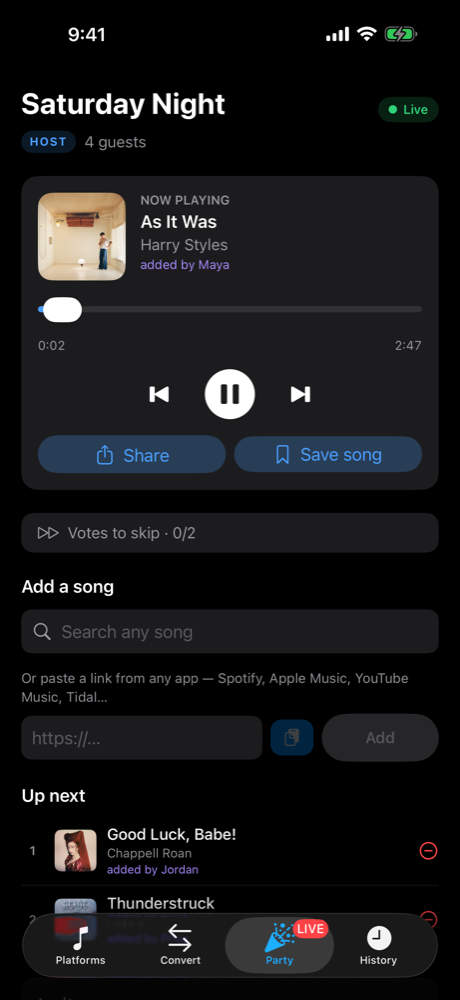
Start a party and PlayOver becomes the DJ. Guests scan the QR code or open the link, with no app and no account, and add songs from whatever music app they use: search for a song, or paste a link from Spotify, Apple Music, YouTube Music, Tidal and more. Every request lands in one queue with the name of whoever added it. Your own playlist keeps playing until requests come in, and requests start at the next song, so nothing gets cut off.


Choose whether guests can vote to skip and how many votes it takes, whether explicit songs are allowed, and how many songs each guest can request. Change them during the party and every guest's screen updates.
Friends in different places? Start a listen-along: everyone hears the same song at the same time, each from their own Apple Music or Spotify. Nudge your audio a little early or late, or pause just for yourself. Or share a listen-only pass so people can listen in their browser without adding songs.
When the party ends, everyone gets the recap: every requested song that played, with who added it, openable in their own music app.
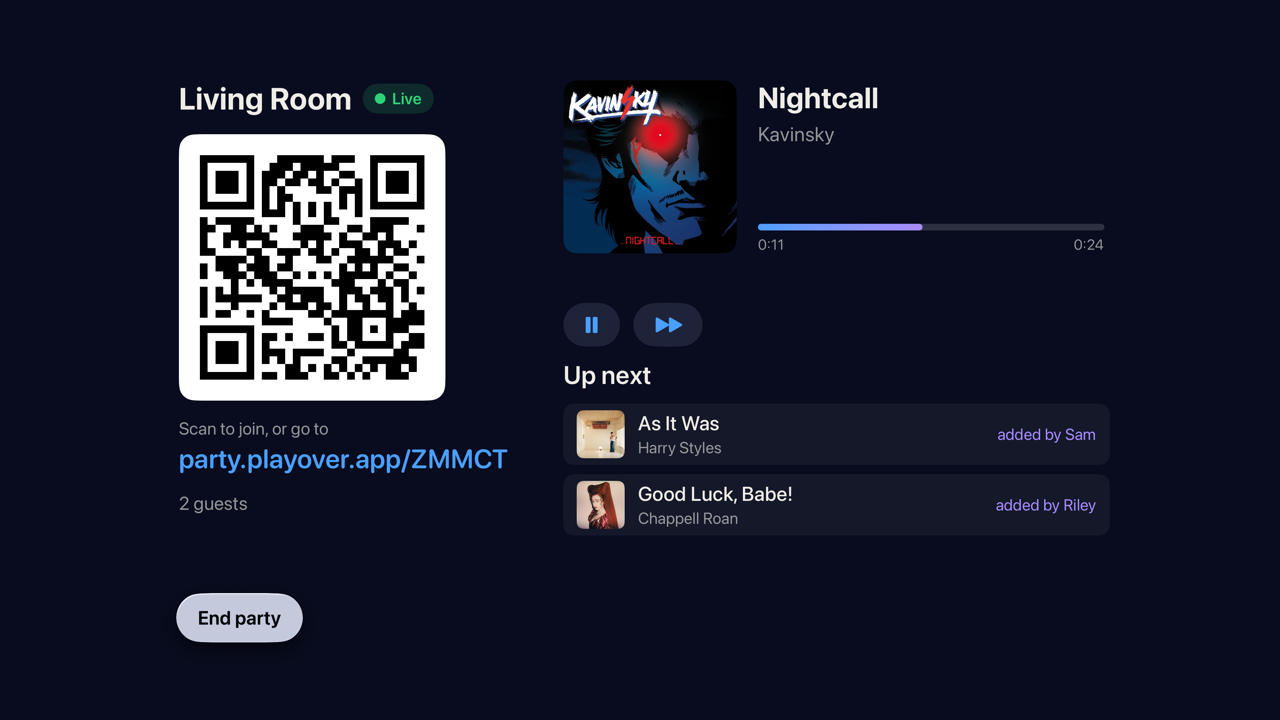
PlayOver on Apple TV hosts parties on the big screen: the QR code, the guests and the queue, with every request showing who added it. It plays through Apple Music and is for hosting only. It runs standard house rules (vote to skip at two votes, explicit songs allowed, no limit per guest), there's no Spotify, and the recap isn't shown on the TV. Its host name starts as "Apple TV", and you can change it before you start.
What hosting needs. With Apple Music, an Apple Music subscription: PlayOver plays the songs itself. With Spotify, Spotify Premium and the Spotify app, plus a one-time setup of about three minutes that PlayOver walks you through. Keep PlayOver open while hosting on Spotify, because new requests wait while it's in the background. Party Mode works on iPad too. Got a code from a friend? Join from the Party tab with the code or link and your name. See how guests join →
PlayOver lives in the iOS Share Sheet. Tap Share on any song in any music app and PlayOver is right there — no app switching required.
Press and hold a song in iMessage, tap Copy, then open PlayOver — it offers to open the song in your app. No trip through Safari first.
Choose your preferred streaming service once. PlayOver will always open links there automatically, so you never have to pick again.
Every link you convert is saved locally. Tap any entry in your history to reopen it on your platform — great for rediscovering songs.
PlayOver uses a smart caching layer so most popular songs resolve in under a second. Even new tracks are found in just a few seconds.
No account or sign-up needed. We never sell your data or use it for advertising. See our Privacy Policy for what PlayOver collects and why.
No subscriptions, no ads, no in-app purchases. PlayOver is free to download and use forever — on every platform.
PlayOver is designed to feel like it was always part of your iPhone. Setup takes less than a minute.
Get PlayOver free from the App Store. No account or sign-up needed.
Launch the app and tap the streaming service you use. A checkmark confirms your choice — you can change it any time.
In Spotify, Apple Music, YouTube, or any supported app, tap the Share button and select PlayOver from the list.
That's it. PlayOver finds the song and opens it exactly where you want it, every time.